Driver app — free
iPhone and AndroidCheck in and out happens on its own — arrive and you're checked in, drive away and you're checked out, dispatch sees it instantly. Plus route maps, one-tap navigation, paperwork from the camera, and your pay.
Free for drivers. Your carrier or dispatcher sends you loads; the app does the rest.
Automatic check in & out
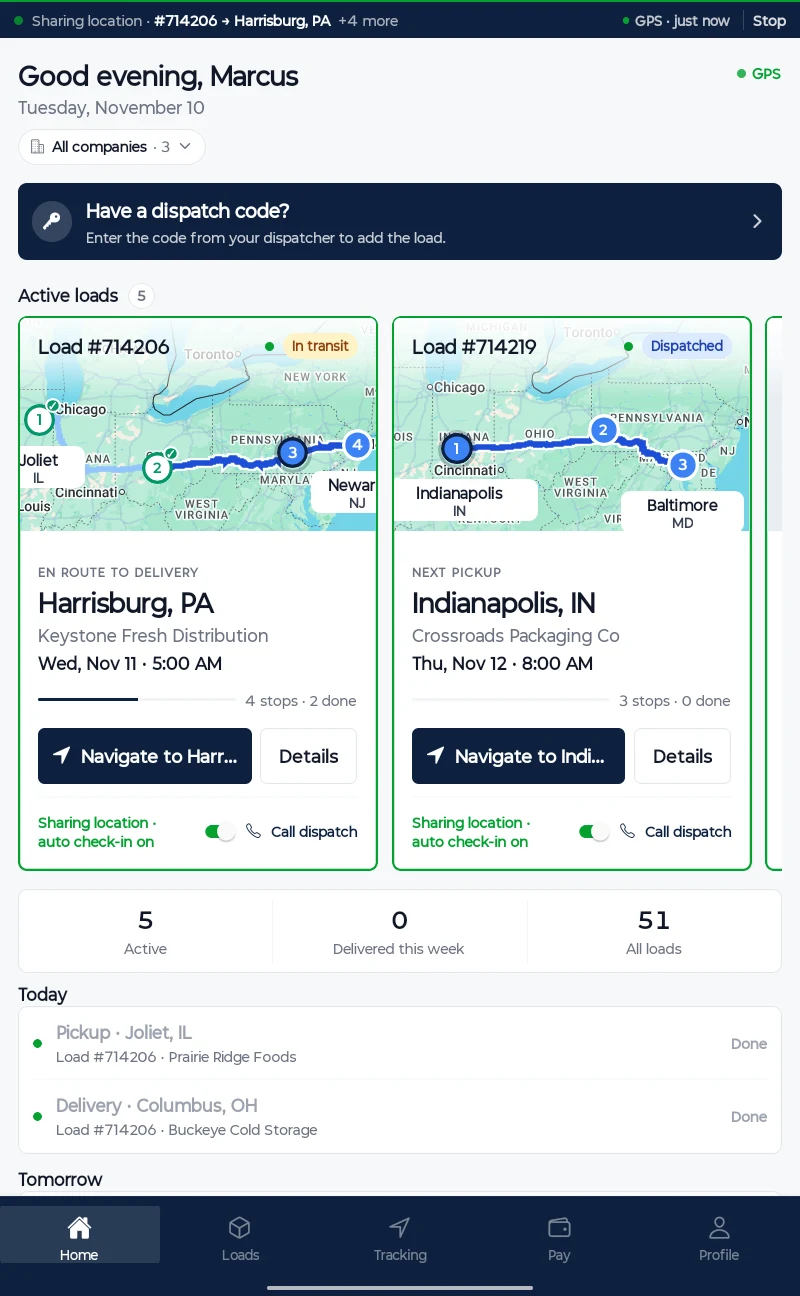
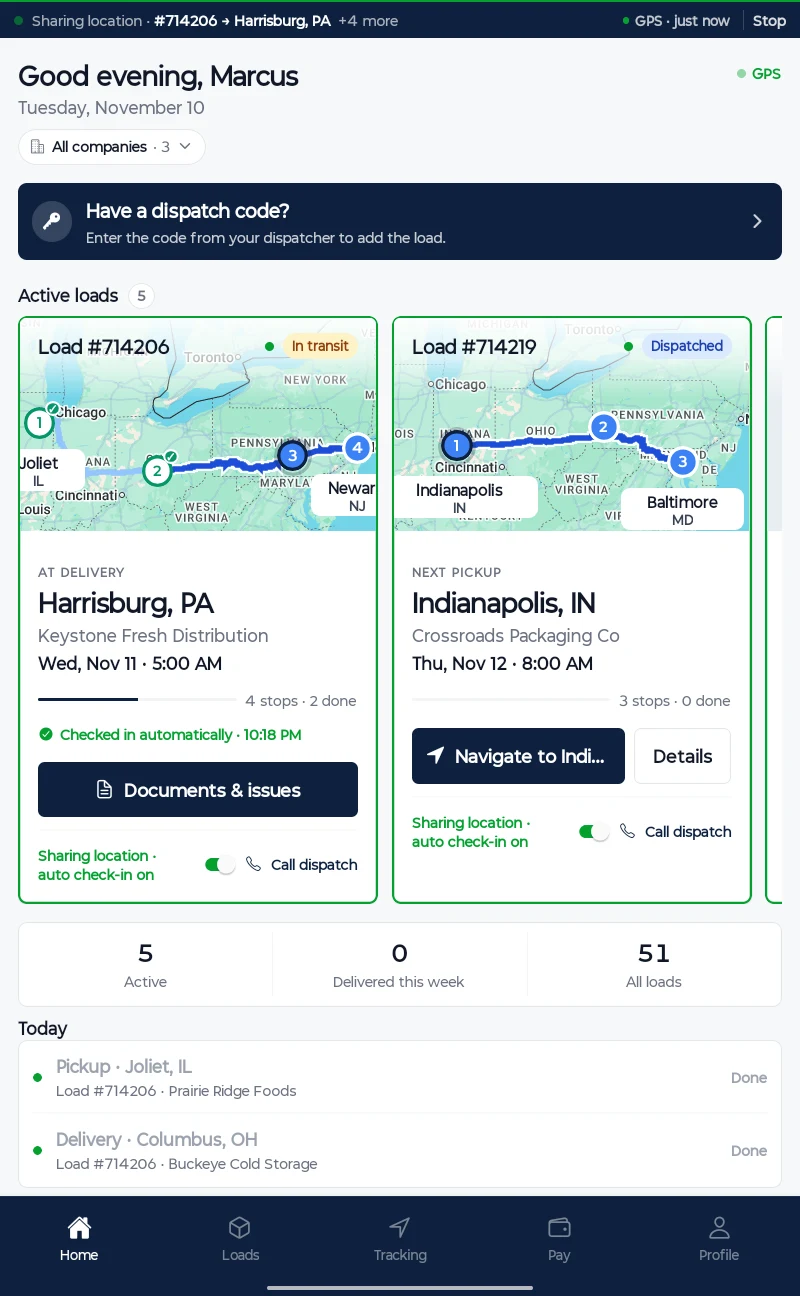
Drivers are busy backing into docks, not tapping phones. With location sharing on, Fleet checks them in when they arrive and out when they leave, so every stop gets stamped and dispatch never has to call to ask.
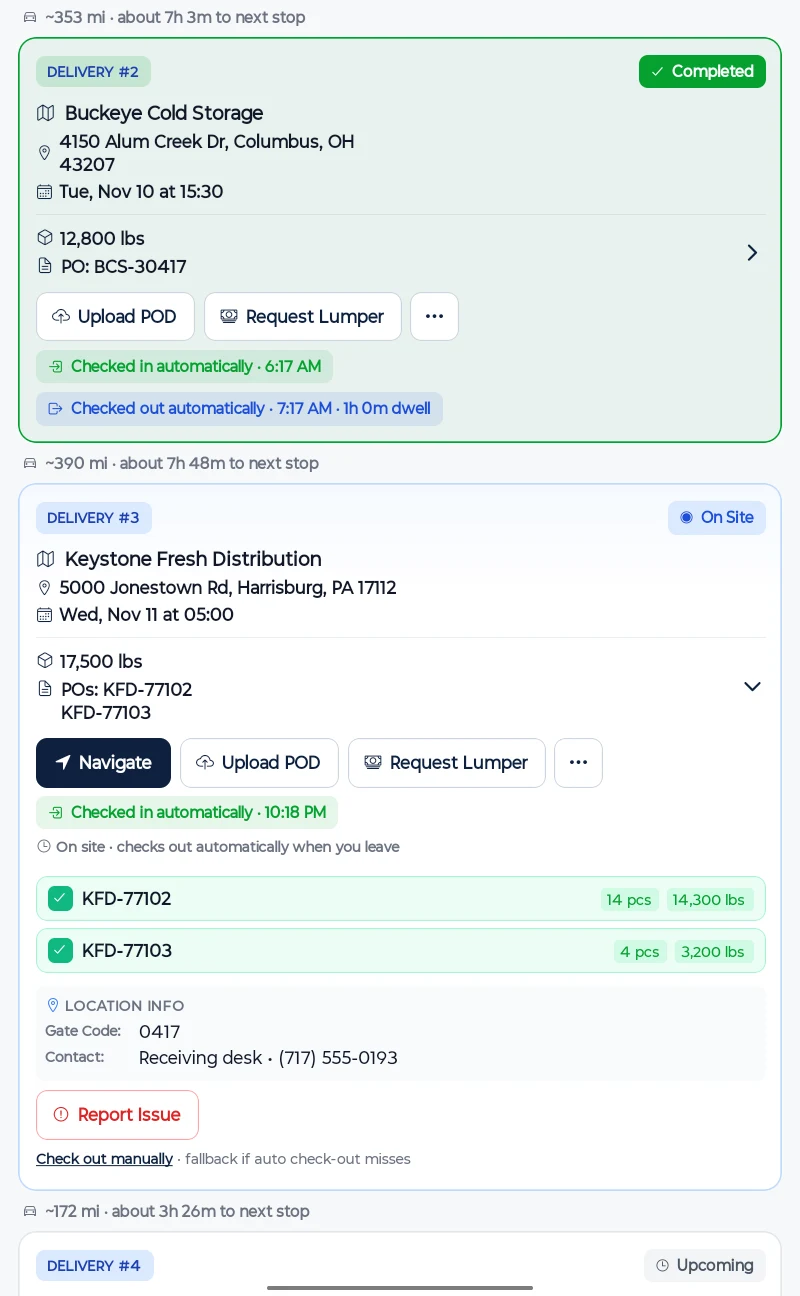
The moment the truck pulls into the facility, the stop is checked in with the real arrival time.
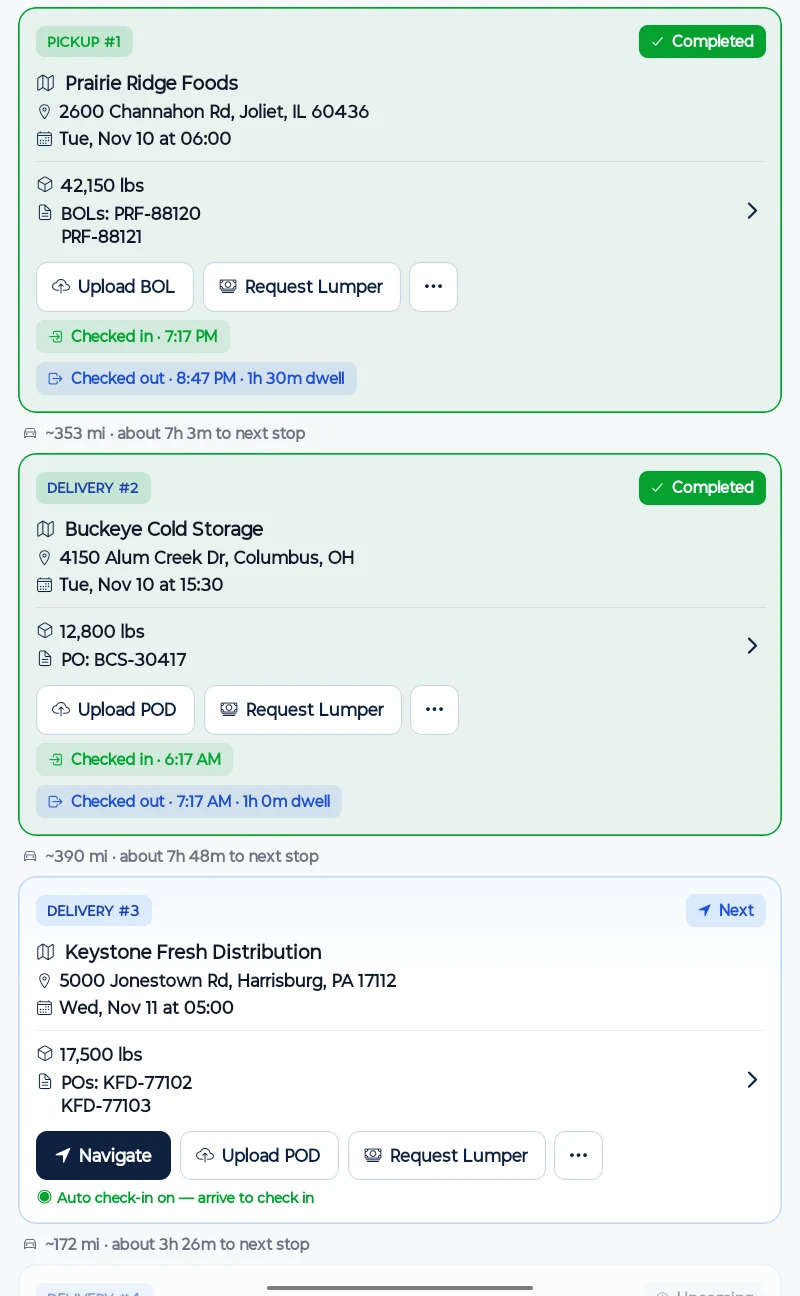
→ Checked in automatically · 6:17 AMWhen the truck drives off, the stop is checked out and the dwell time is recorded for detention.
← Checked out automatically · 1h 0m dwellThe load board, the customer's tracking link and the next stop all update on their own. Late arrivals are flagged.
Updated for dispatch & customer

Location sharing is the driver's switch: on per load, off by default, and it stops when the load is delivered. A manual check in / out button stays as a fallback for spots with no signal.
What drivers get
The details dispatch used to read out over the phone are on one screen, and they stay current.
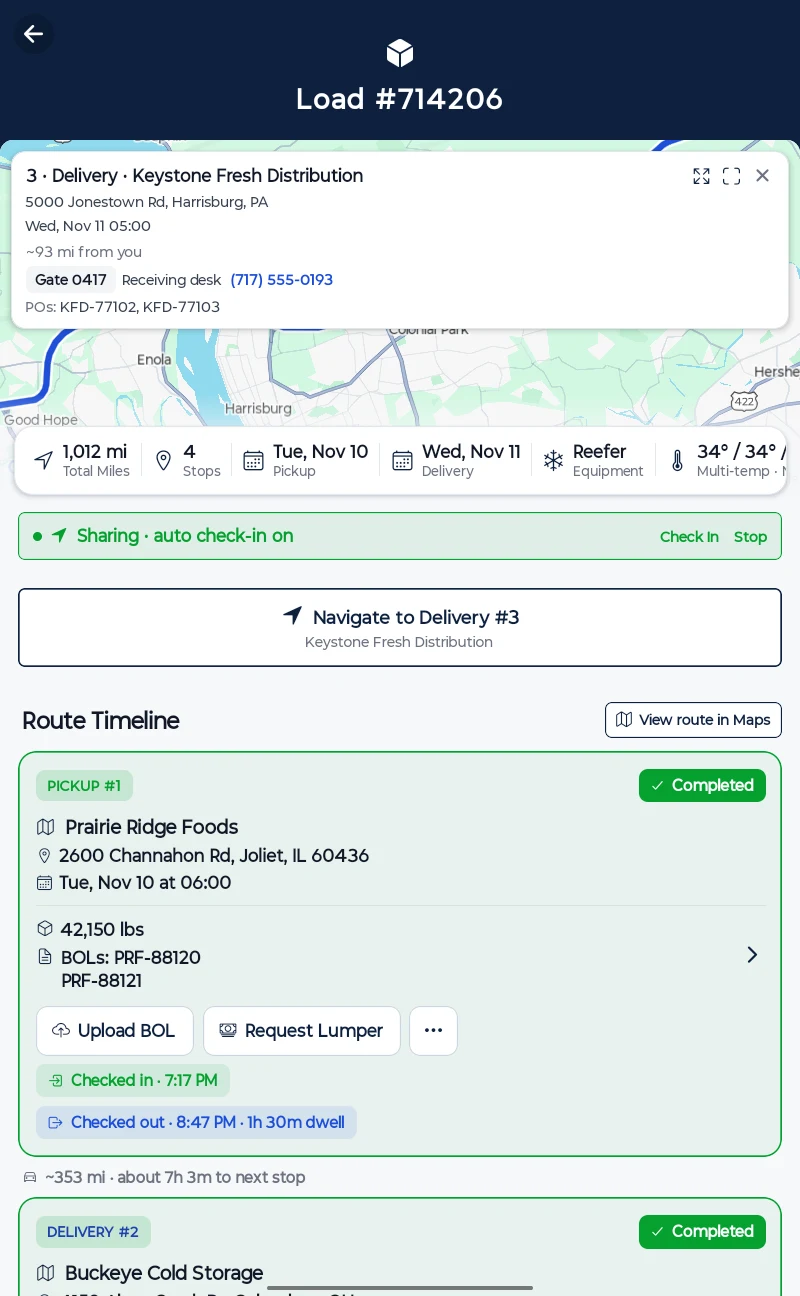
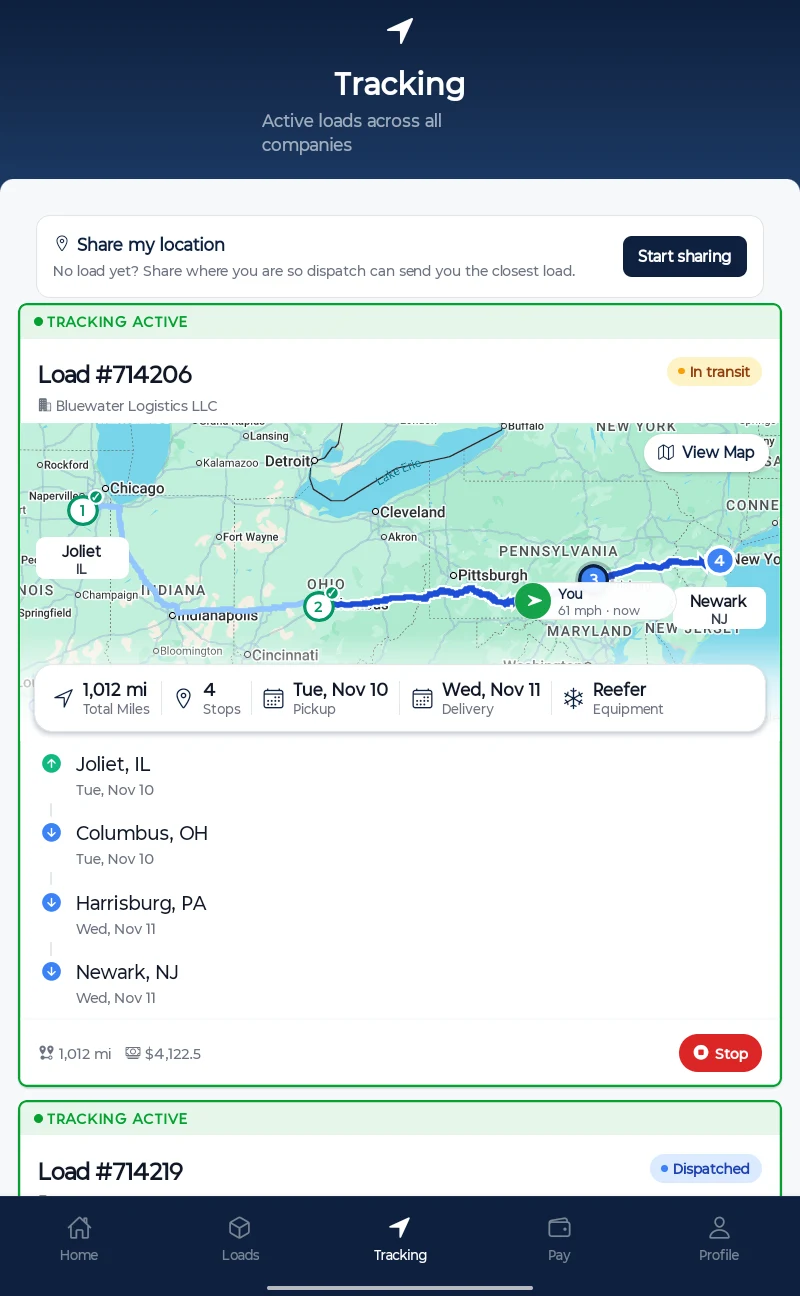
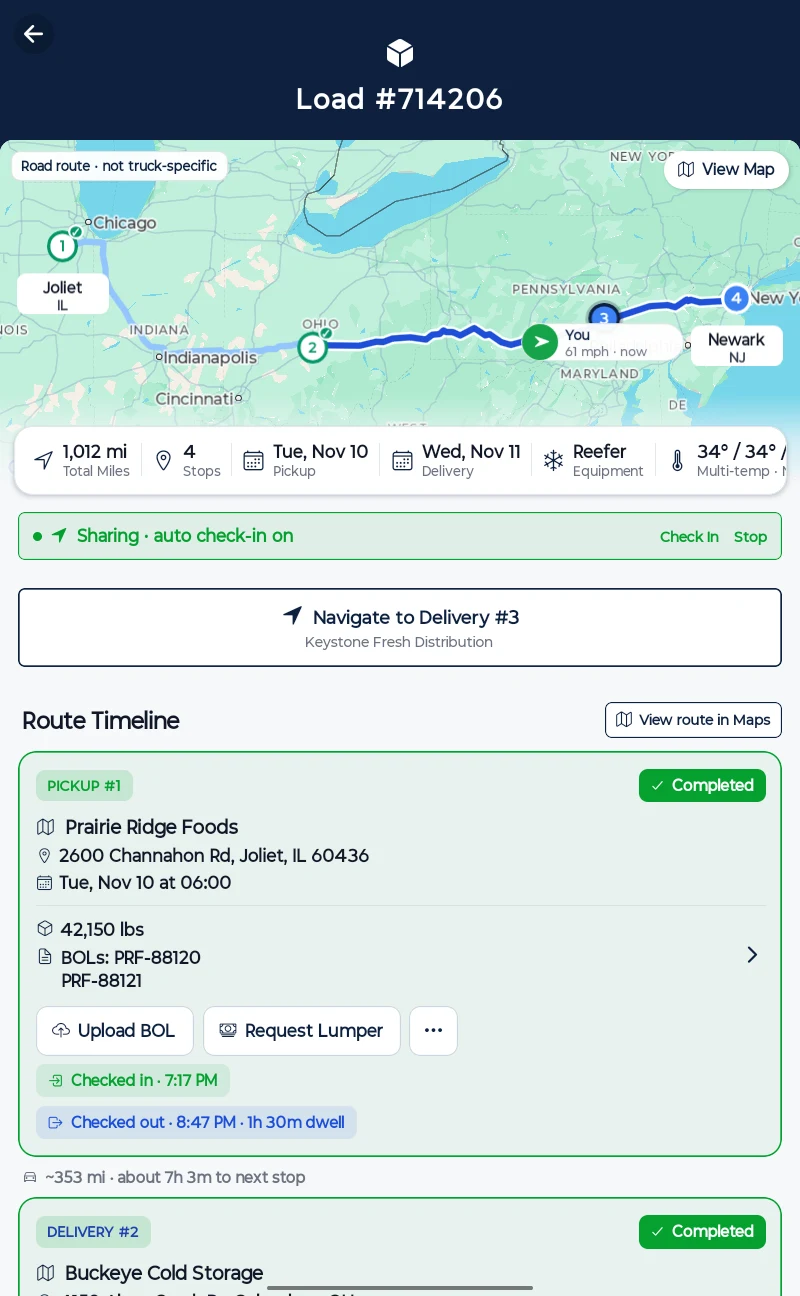
Every pickup and delivery on a live map, with the road route between them and where you are right now.

Addresses, appointments, PO and BOL numbers, weights and how far to the next stop. Check-in and check-out times colour-coded, late arrivals flagged.

Tap any stop and the map zooms in with the details you need at the gate: the code, who to call, the appointment and every PO.

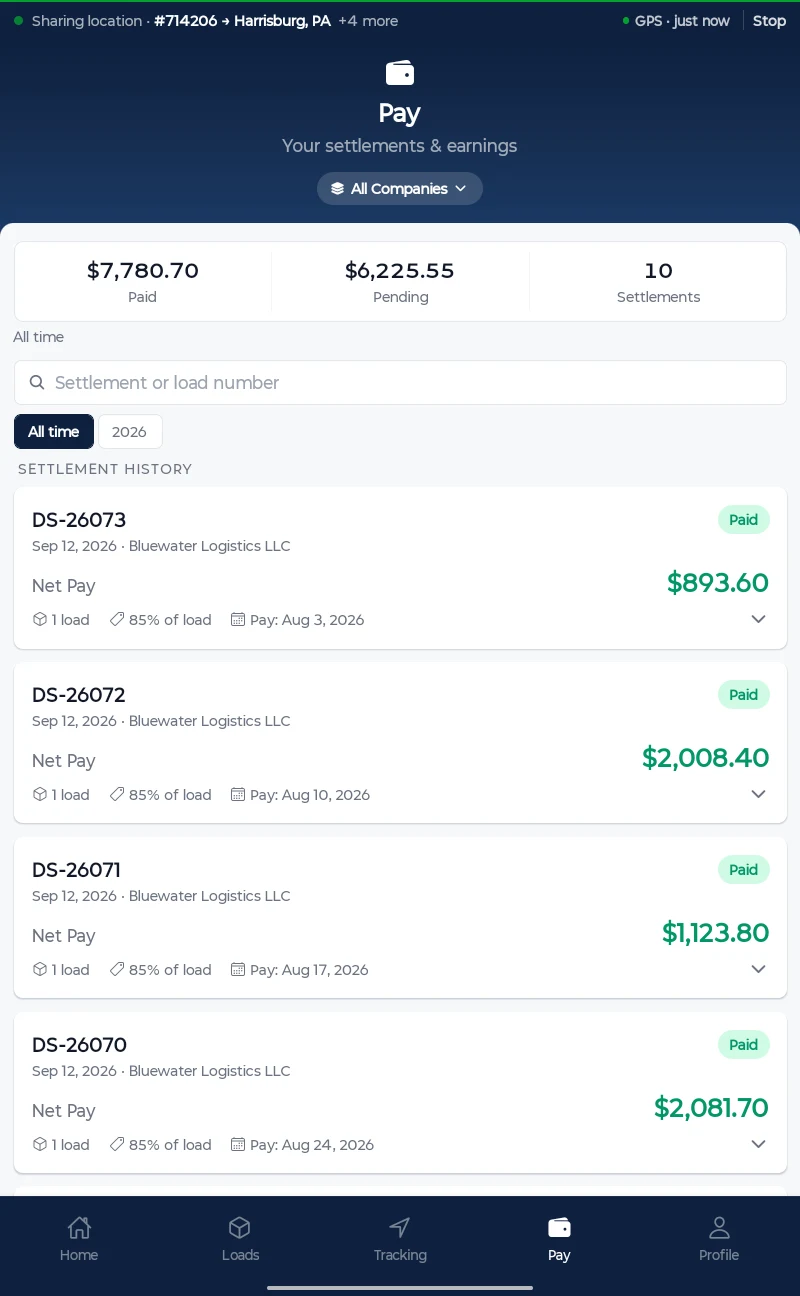
Settlements show up as soon as they're issued, with every line item: what you earned on each load and what was deducted.

The app
Swipe through the app the way your drivers will see it.


Install
Free on iPhone and Android. Open this page on your phone, or use the buttons below.
From the App Store
Direct download · coming soon to Google Play